DataViz Migration - migrating from SAP BO to Power BI
SAP BusinessObjects estates typically hold several years’ worth of modeling: universes, Web Intelligence reports, business objects, calculations, filters, prompts, and semantic layers. The migration covers universes, business objects, and business rules just as much as reports.
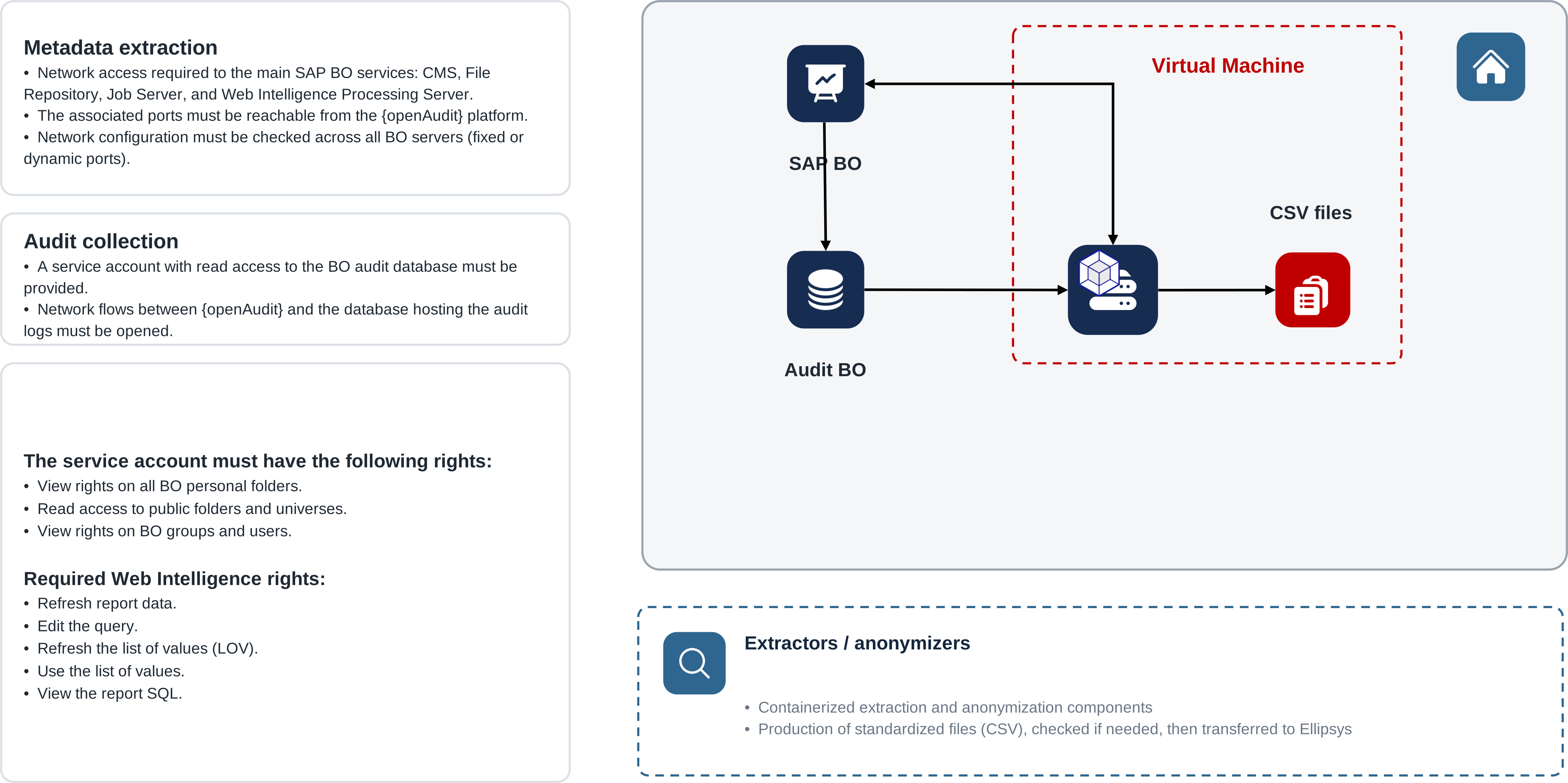
SAP BusinessObjects analysis prerequisites
The analysis requires access to the SAP BusinessObjects services, technical repositories, and the audit database. Extractors run within the Client’s environment and only technical metadata is used, which can be anonymized before processing.
Estate analysis
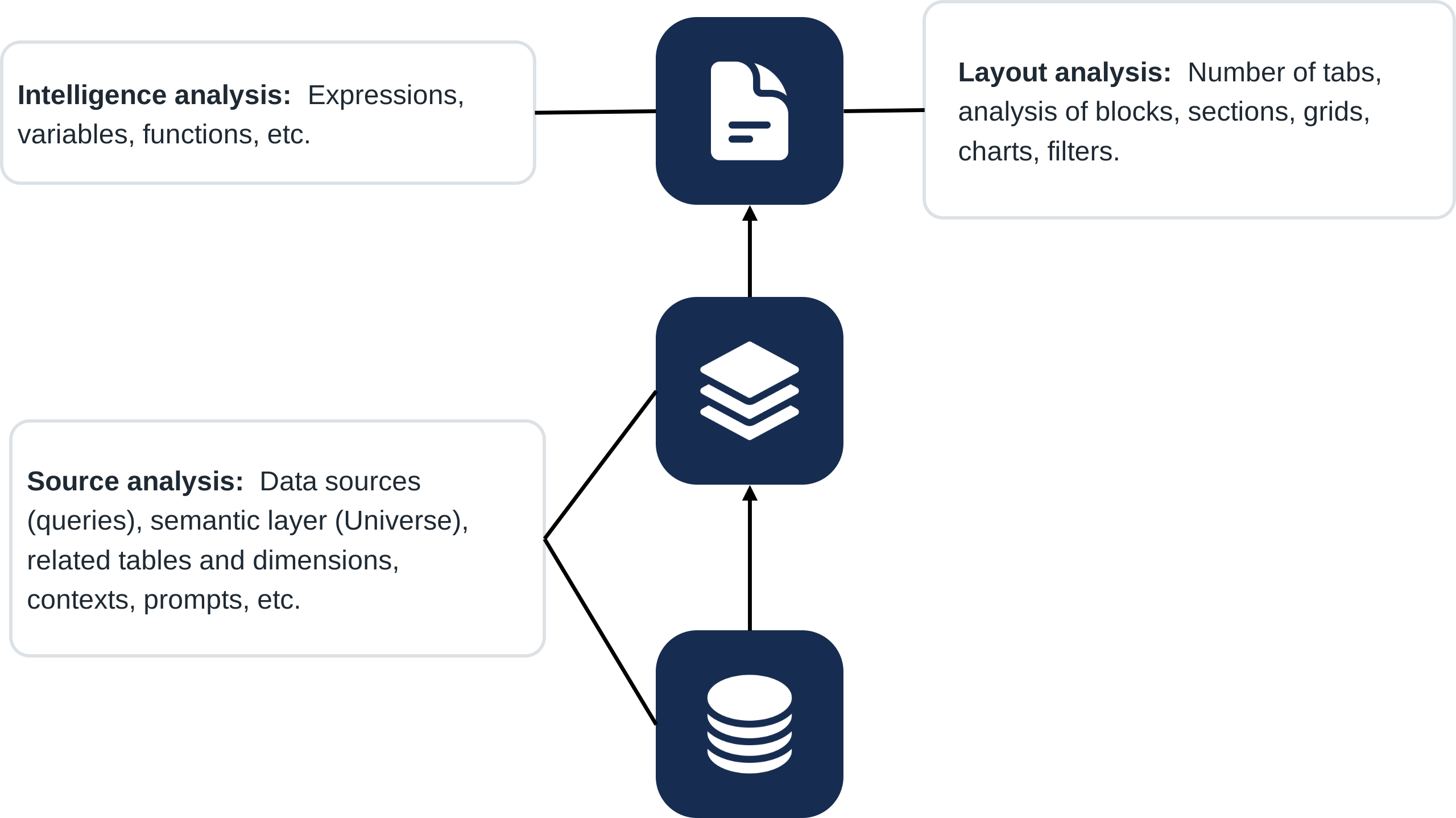
The analysis covers Web Intelligence reports, UNV and UNX universes, Data Providers, business objects, variables, filters, prompts, and graphical components. Dependencies between data sources, business objects, and visualizations are consolidated with observed usage into a repository.
Rationalization
Cross-referencing audit logs with the metadata identifies unused reports, duplicates, unconsumed objects, and obsolete universes.
Result: a reduced volume to migrate.
Conversion to Power BI
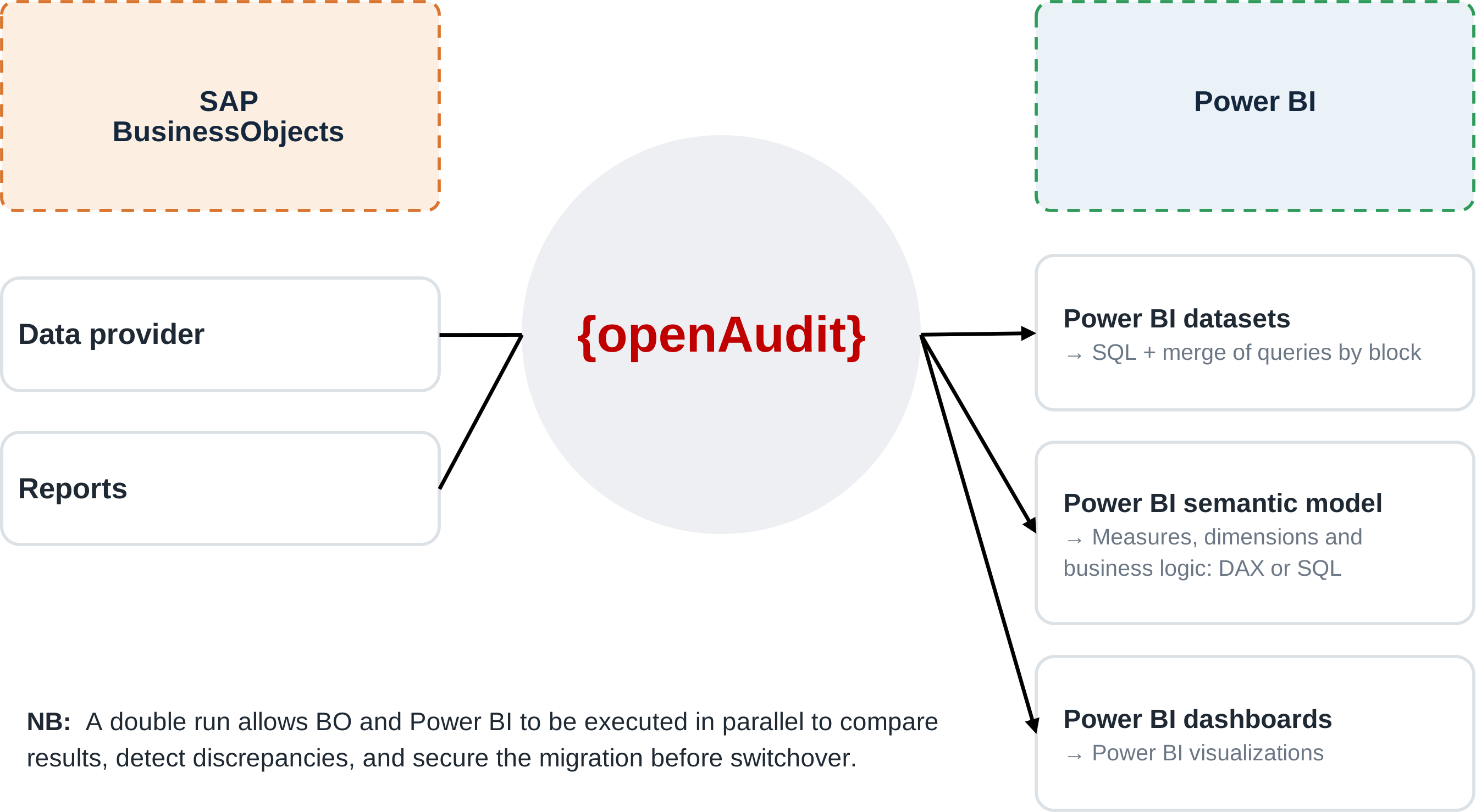
Data Providers become Power BI datasets; queries, calculations, and variables are converted into SQL or DAX; business objects become dimensions and measures, with dependencies between universes, reports, and sources preserved. Tables, charts, filters, sections, and layout are rebuilt in Power BI: the migration covers the business layer as well as the reporting layer.
The conversion relies on {oa-lake}: queries, calculations, and variables are encapsulated as SQL pipelines, and the business objects of the universes feed its interoperable semantic layer, which Power BI connects to (see below).
Validation
During acceptance testing, SAP BusinessObjects and Power BI run in parallel and their indicators are compared.
Tables, filters, and slicers
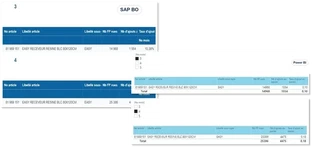
SAP BusinessObjects tables, filters, and sections converted into Power BI components.
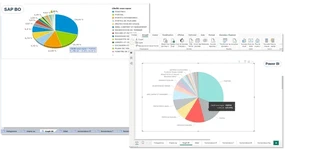
Pie charts
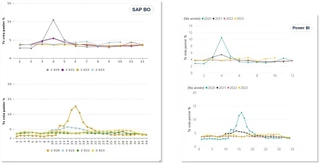
Charts
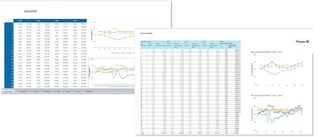
Dashboards
{oa-lake}: the foundation of every dataviz migration
Moving from one reporting tool to another meets the immediate need, but it shifts the business logic into a new proprietary model: the next time the tool changes, everything has to be rebuilt again.
Power BI connects to {oa-lake} and consumes a ready-made model: business objects, KPIs, and security are no longer locked into a new proprietary model.
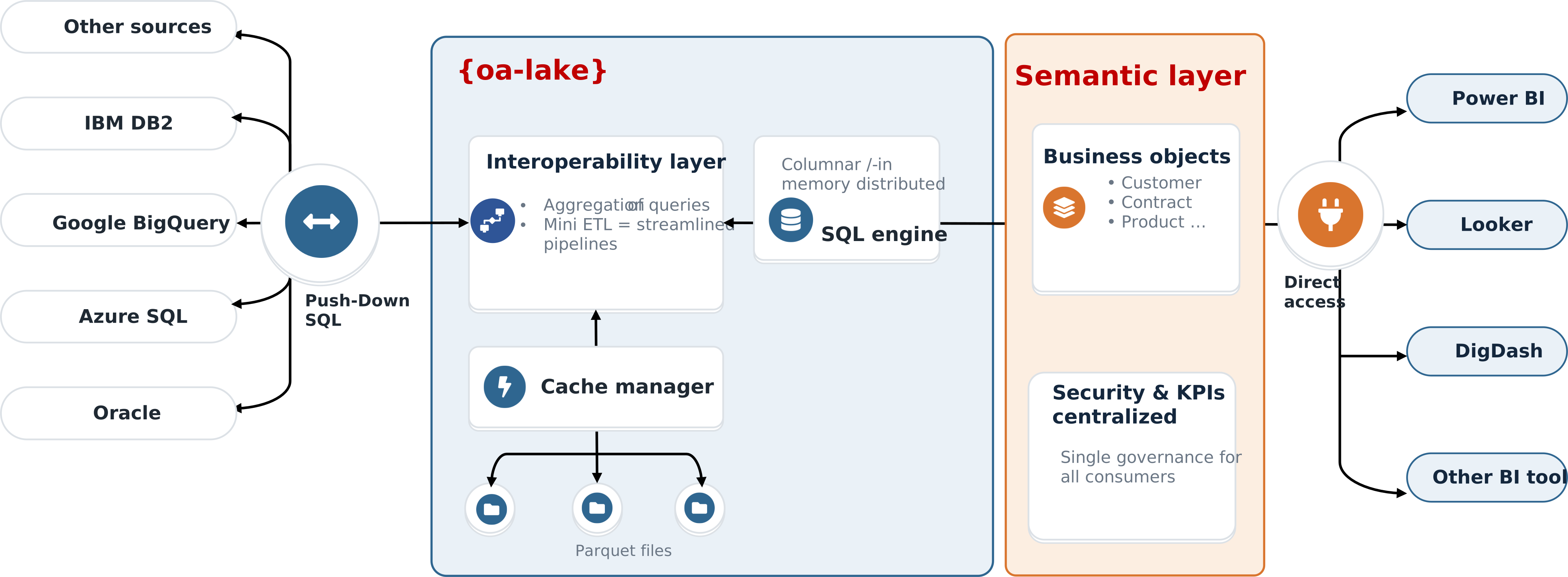
Key point: migrating to {oa-lake} means migrating one last time. Business logic becomes a company asset, independent from vendors.
Why {oa-lake} underpins every dataviz migration → · Discover {oa-lake} → · SQL interoperability and semantic layer →